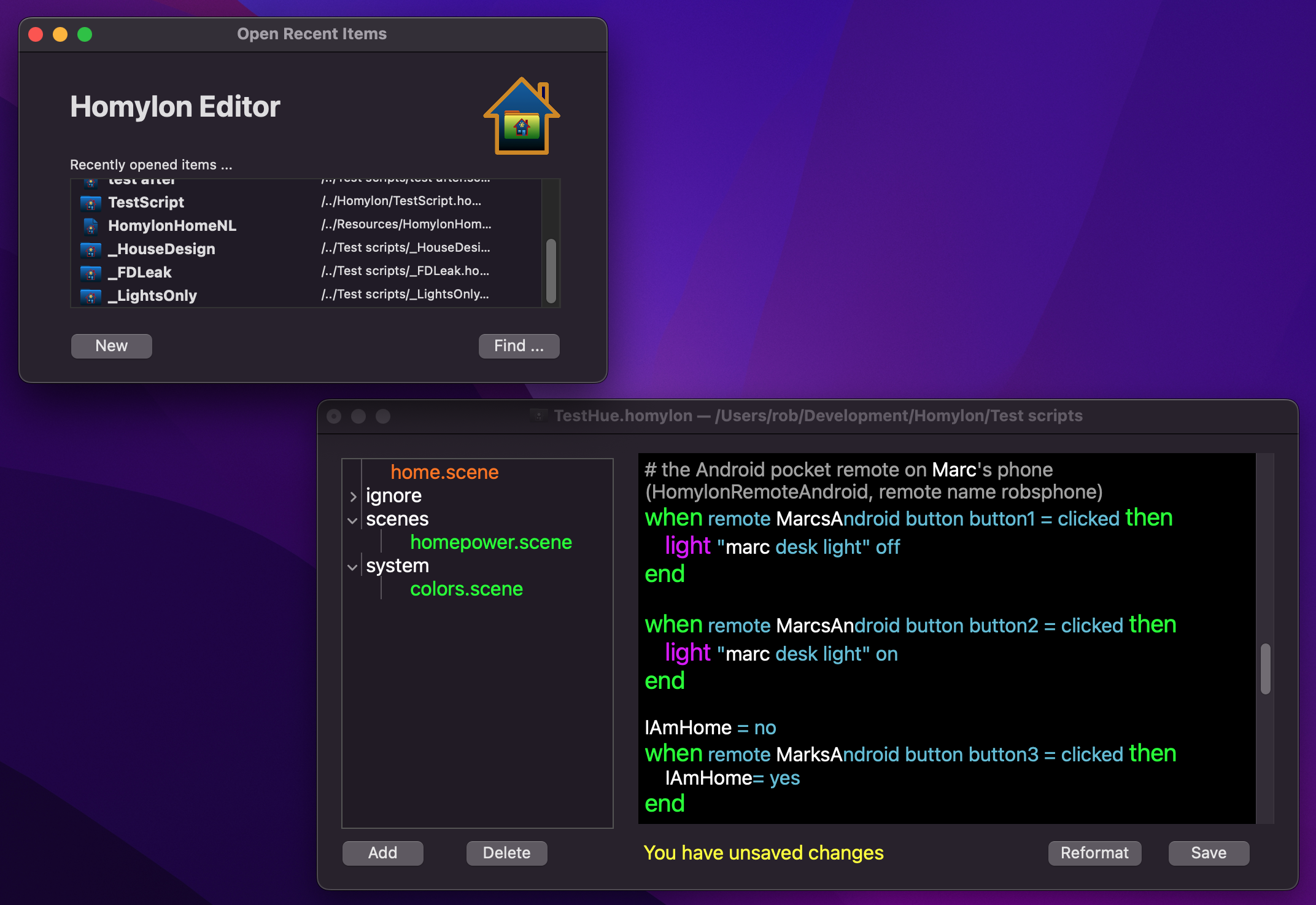
The Homylon Editor is where you write your scenes on a Mac. It opens a single .scene file or a whole Homylon package. A package is shown on the left with home.scene and its folders, so you can add and delete scenes in it. The Homylon words get their own colours, so a typing error stands out at once. Indenting is done for you, and Reformat tidies up a whole scene.
When the Editor starts it shows the scenes and packages you opened recently, with New to start a fresh one. The editor tells you when there are unsaved changes, and where the scene is kept.
A scene is plain text. You can still use any text editor you like, also on Windows or Linux. The Editor only makes it easier.
Needs macOS 10.14 or later, Intel or Apple Silicon. The app is not notarized by Apple yet, so the first time macOS asks you to confirm. The README in the download tells you how.
Download here: